Devices
A teleprompter app for iPhone that records the video too
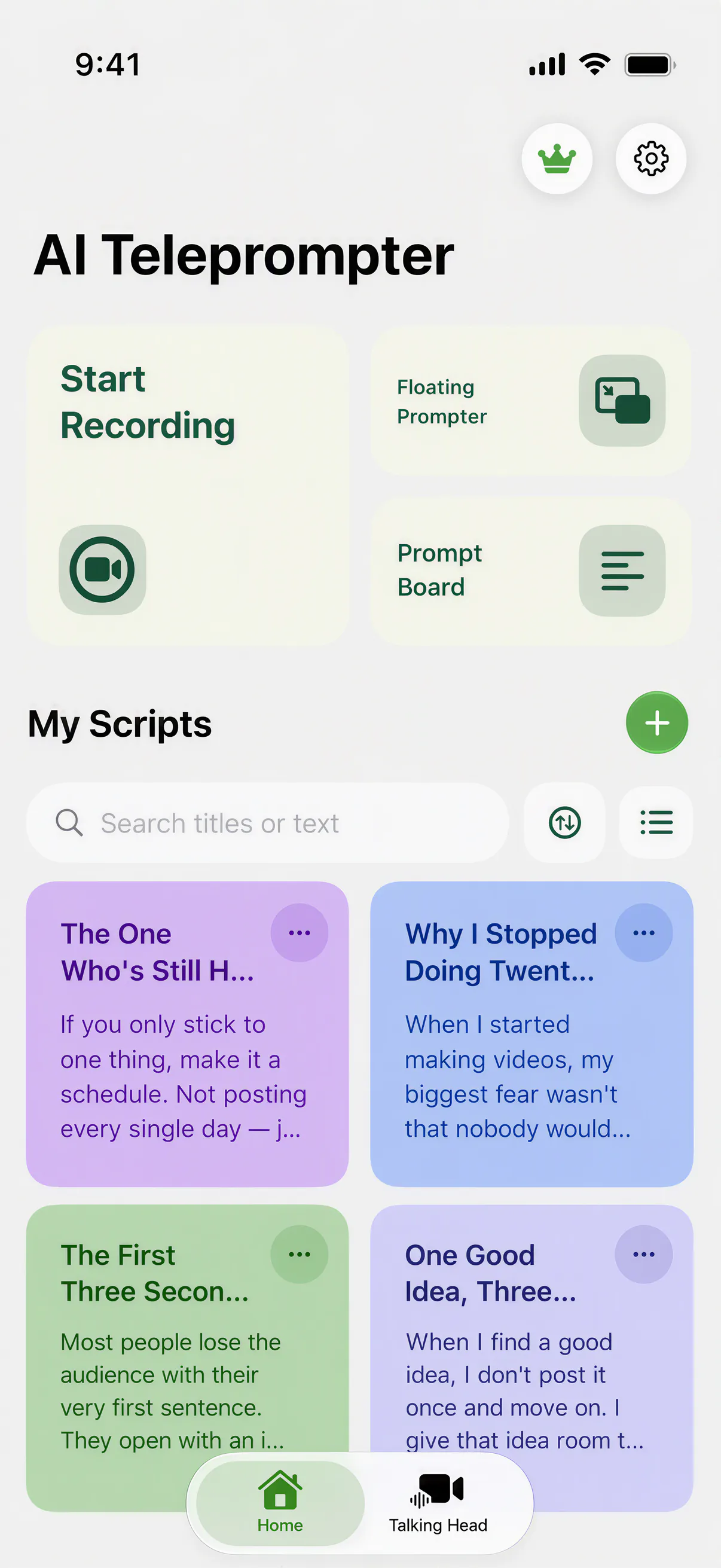
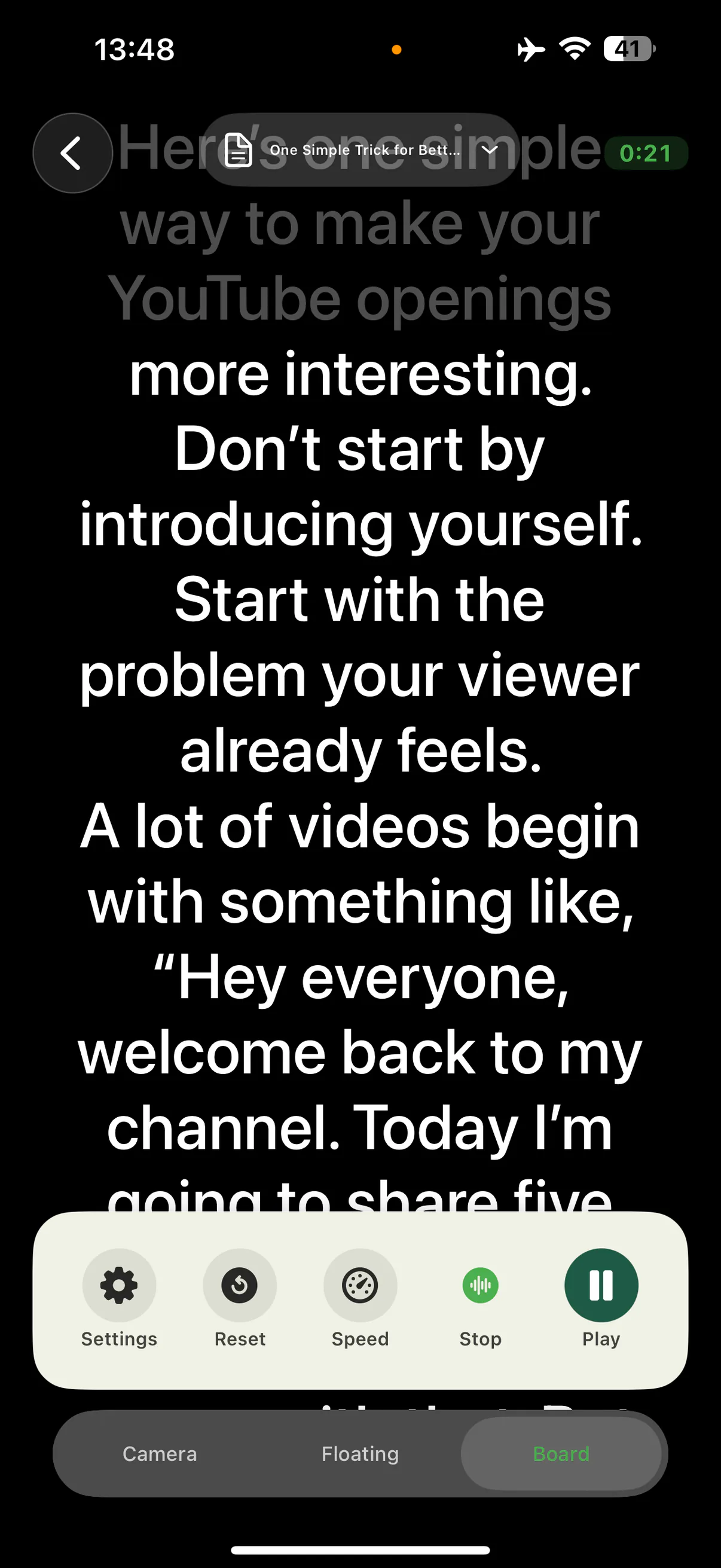
No rigs, no second screen, no sync cables. AI Teleprompter runs the whole recording workflow on the iPhone in your pocket: the script scrolls near the lens, the prompter follows your voice instead of a fixed timer, and the finished video exports straight to your photo library.
Last reviewed
Which iPhones are supported
AI Teleprompter requires iOS 18 or later. That covers every iPhone from iPhone XR and iPhone SE (2nd generation) onward, check your device’s current App Store compatibility before downloading. If your iPhone runs iOS 18 or newer, it runs the app.
Newer devices get the obvious benefits: better front cameras, stronger microphones, and more room on screen. But the prompting workflow itself is identical across the lineup, because readability depends on text size and distance, not on having the latest model.
- Requires iOS 18 or later
- iPhone XR, iPhone SE (2nd generation), and every newer model
- Front and rear camera recording supported
- Portrait prompting and recording layouts

Getting the best result on iPhone
Distance beats resolution
Arm length to a small tripod is the sweet spot: close enough to read without squinting, far enough that your eye movements stay invisible on camera.
Prompt near the lens
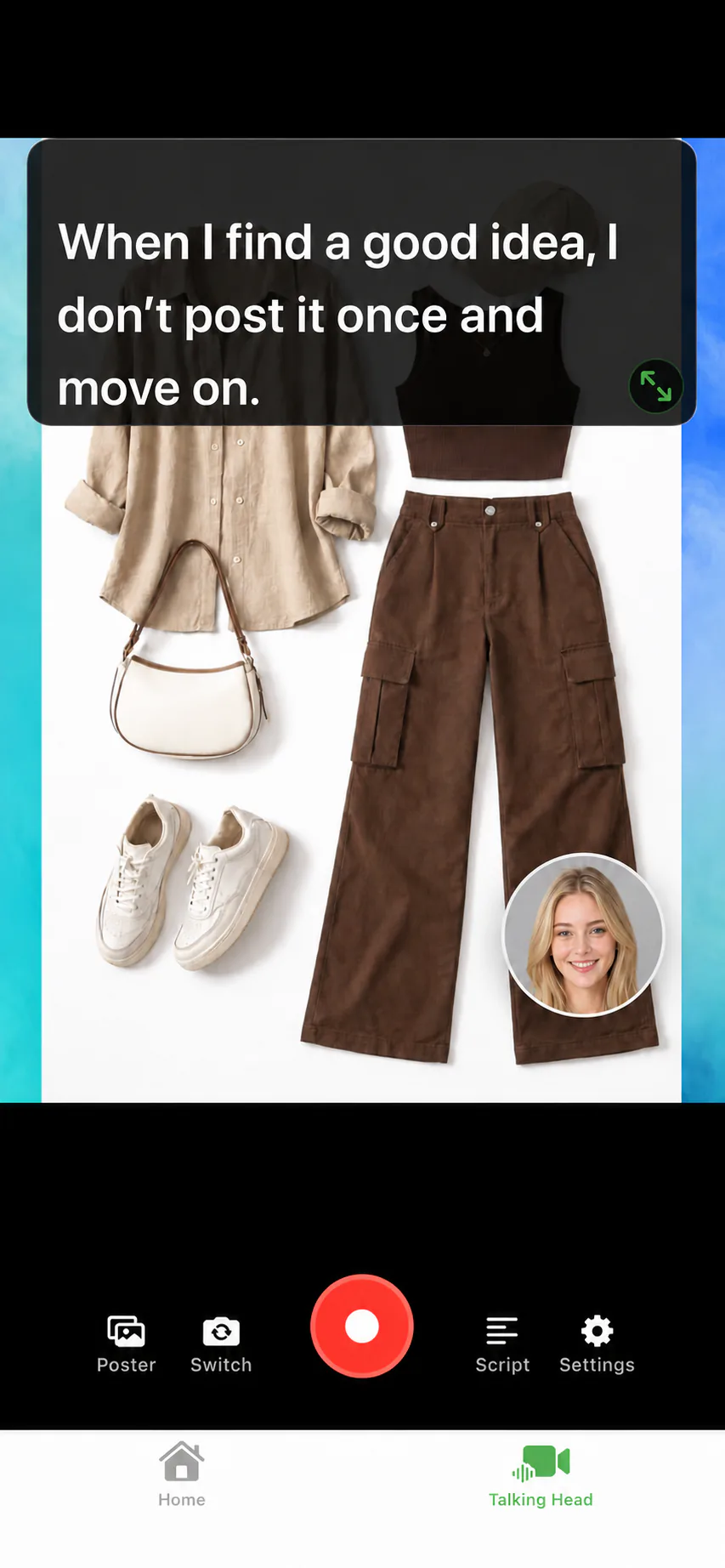
Camera prompting mode overlays the script on the preview, near the camera. Your gaze stays within a few degrees of the lens.
Rear camera quality
Record with the rear camera when quality matters most, and let Voice Sync keep your place so you are not peeking at the screen.
Quiet room, close mic
The iPhone microphone is excellent at arm length. Keep the room quiet so both the recording and the voice tracking stay clean.
What runs on the phone
Everything. Script import from PDF, Word, and TXT, the searchable library, Voice Sync speech tracking, camera recording with poster layouts, preview, and export. Scripts, recordings, and speech recognition are processed primarily on the device, as detailed in the privacy policy.
If your recording workflow lives in another app, the floating teleprompter keeps the script above it. For the complete feature tour, start at the teleprompter app page.
iPhone teleprompter FAQ
Can I use my iPhone as a teleprompter?
Yes. AI Teleprompter turns the iPhone into a teleprompter and recorder in one: the script scrolls on screen while the camera captures the take, and Voice Sync follows your voice.
Which iPhone models are supported?
Any iPhone that runs iOS 18 or later, which includes iPhone XR, iPhone SE (2nd generation), and every newer model.
Does it work with the rear camera?
Yes. You can record with either camera. Camera prompting keeps the script readable near the lens in both orientations.
Can I use the phone teleprompter with a glass rig?
Yes. Mirror mode flips the text so it reads correctly through reflective teleprompter glass setups.
Is there a teleprompter app for iPhone that follows my voice?
That is what Voice Sync does. The script moves when you speak and waits when you pause, so a slow line or an unplanned aside does not leave you chasing the text.
Do I need a separate app to record?
No. Prompting and recording happen in the same app on the same iPhone, so there is nothing to sync afterwards and no second device to set up.
Record your next video with AI Teleprompter
Download on the App Store and check the available trial. Record inside the app to export your video without the prompt.